For youth and volunteer coaches
Coach
Your first season coaching can start with a clear plan.
An AI agent for youth sports coaches. You do not need a new drill every minute. You need a few activities you can explain, a way to change the challenge and a message that tells families what to expect. Coach helps you prepare those pieces.
$19 / month Cancel anytime
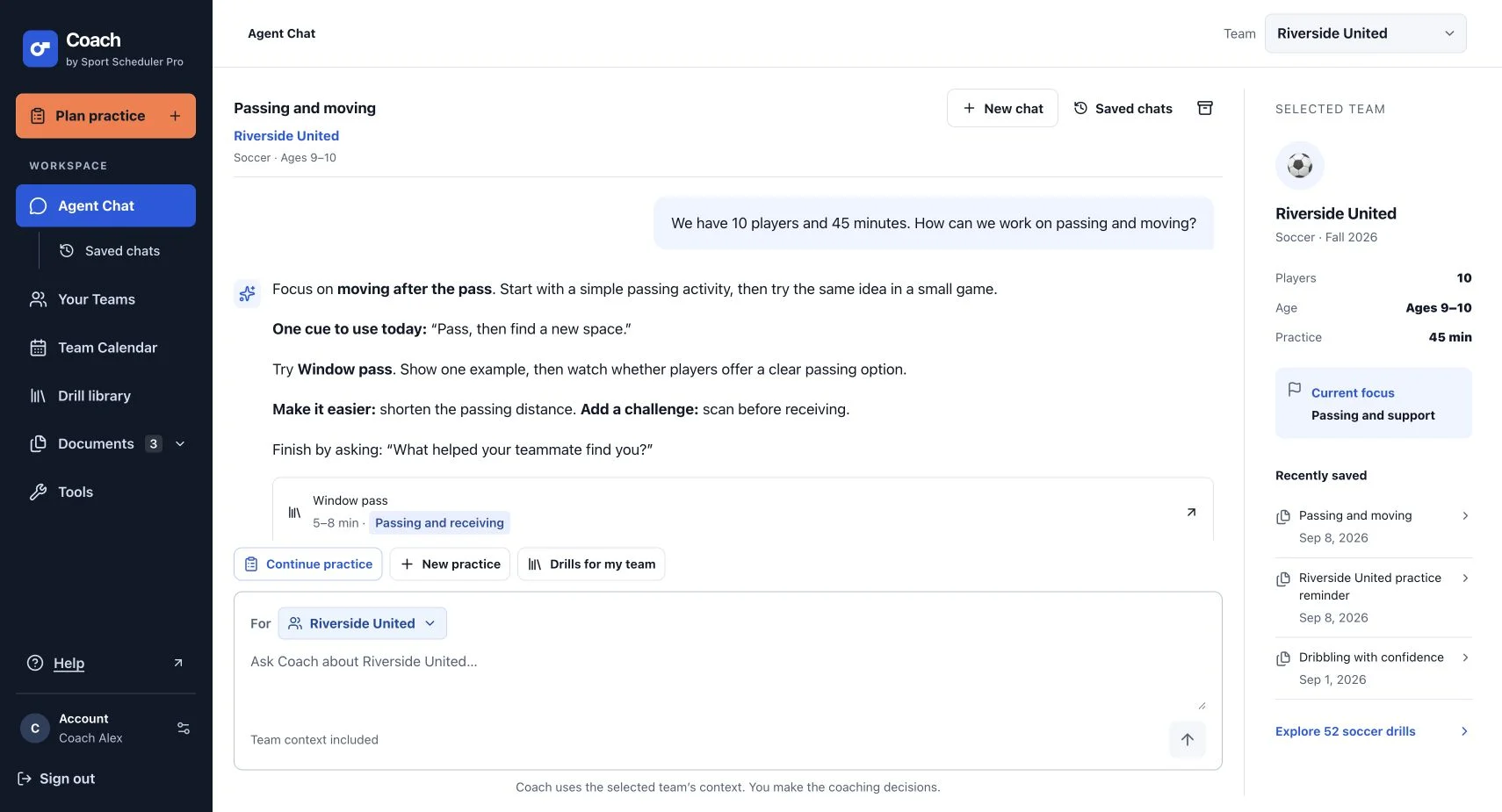
- Age selections and custom ranges for your actual group
- Quick-reference cues and easy-to-follow drill steps
- Parent reminders you can draft without filling every field
A PRACTICE YOU CAN START FROM
First soccer session: keep it close
A 35-minute beginner soccer example for eight children ages 6–8. The planning pattern also helps in other supported sports: a simple movement, one skill and a small game.
- Sport
- Soccer
- Time
- 35 minutes
- Group
- 8 players
- Equipment
- 1 age-appropriate soccer ball per player; 16 flat markers, or clearly visible existing field markings; Optional team bibs
Set up: Give each child clear personal space and a separate 6 × 3-yard turning lane. Use a 20 × 16-yard area with clear run-off for the final 4v4 game. Keep explanations where everyone can see the demonstration.
Make a plan for your team- 0–4minutes
Progressive walking warm-up
Walk the boundary together at a comfortable pace, showing where to stop and where water is kept. Practice the stop signal once.
- 4–10minutes
Dribble and stop
Each child gently dribbles in personal space, chooses an empty parking spot and brings the ball beside a shoe. Restart toward another open spot; never stand on the ball.
Try this cue: “Small touches, then a gentle stop.”
- 10–16minutes
Dribbling turns: inside, outside and pull-back
Dribble down an individual lane, turn before the boundary and return. Let players try a comfortable turn, then show a neighbor while everyone is paused.
Try this cue: “Slow down before you turn.”
- 16–18minutes
Water and one demonstration
Offer water and show one gentle ground pass through a wide window. Keep the explanation to what the children will do first.
- 18–24minutes
Gate passing
Use four separate pair lanes. Start closer than the full 4–6-yard gap if needed, pass through a wide visible window and let the receiver stop the ball before returning.
Try this cue: “Look at your partner before passing.”
- 24–31minutes
Dribble over the end line
Play 4v4. Pass or dribble toward the far line and score by crossing with the ball close. Defenders cover paths and intercept passes without tackling; restart freely after a point.
Try this cue: “Find a clear way forward.”
- 31–35minutes
Cool-down walk and check-in
Walk easily, offer water and ask each child to share one thing they want to try again. Quiet participation is welcome too.
Make it easier
Walk with the ball, shorten each lane and let players stop before turning or passing. Widen the end-line target and have defenders walk.
Add a challenge
Ask players to look before choosing a parking spot and show two comfortable turns. In the game, encourage a teammate to move away from the ball carrier to open another route.
This soccer example is for ages 6–8; choose drills for the sport and ages you actually coach. Keep water and rest available, stop for crowded paths and avoid elimination rules that leave children sitting out.
SEE COACH IN ACTION
From your first question
to a plan you can share.
See Agent Chat, drill references, editable practices, your team calendar and messages to parents in a short narrated walkthrough.
Recorded with a sample team and demonstration responses. Review activities and plans for your players before using them.
YOUR TEAM. YOUR DECISIONS.
Turn an idea into
your next practice.
Set your team’s ages, headcount and goal, then review and adjust the plan with Coach.
- 01
Choose one thing children can notice
Use a focus like keeping the ball close or showing a ready target. Add the ages you coach rather than relying on a grade label, and check what the group can already do.
- 02
Show, try and adjust
Give one short demonstration and let players try. If the task is confusing, shorten the distance or remove a decision. Save the activities the children understand and enjoy returning to.
- 03
Keep families in the loop
Save the practice date and draft a clear parent message. Include the time, meeting point and equipment you know; edit or leave out details that are not decided yet.
COACH BY SPORT SCHEDULER PRO
One plan.
Your coaching essentials.
$19/ month
Cancel anytime
Get Coach500 AI requests per month across chats, practice plans and message drafts. Coach is a separate subscription from Sport Scheduler Pro.
- AI agent coaching help with your team’s context
- 675 sport drills and general workouts
- Quick reference and full drill instructions
- Editable, timed practice plans
- Multiple teams and joint practices
- Favorite drills and recorded usage
- Team Calendar with recurring events
- ICS and schedule CSV imports
- AI drafts for parents and players
- Unlisted sharing, PDF and Excel downloads
BEFORE YOUR NEXT PRACTICE
Youth sports coaching questions
More on accounts, sharing and subscriptions in the Coach Help Center.
Can Coach help if I have never coached before?
Yes. It gives you drill setup, steps, cues and easier variations so you can prepare a manageable session. Start with a few tasks you understand and demonstrate them yourself. Coach is a planning assistant; you remain responsible for supervision, local rules and deciding what fits your players.
Which youth sports are supported?
Coach currently includes soccer, basketball, baseball, softball, volleyball, flag football, tennis and pickleball, plus general warm-ups, movement and cooldown activities. Age coverage varies by drill, so use the filters rather than assuming every activity fits every child.
How can I plan for both 8-year-olds and 10-year-olds?
Select multiple ages or enter a custom range, then choose activities whose age coverage and difficulty fit the group. Keep a shared objective while changing distances or adding a decision for ready players. If the needs are too different, create separate team plans.
Does Coach send messages directly to parents?
No. Draft Messages helps write a parent or team message that you review, edit and copy or share yourself. You can draft with incomplete details. Check the date, location, team name and any instructions before sending through your usual communication channel.
How much does Coach cost for a volunteer coach?
Coach is $19 per month and includes 500 AI requests per month, the drill library, editable practice plans, team calendars and sharing tools. You can cancel anytime through account subscription management. Coach is a separate product from Sport Scheduler Pro’s scheduling subscription.
SHOW UP READY